Загрузка…

[Experimental] Extra FOV
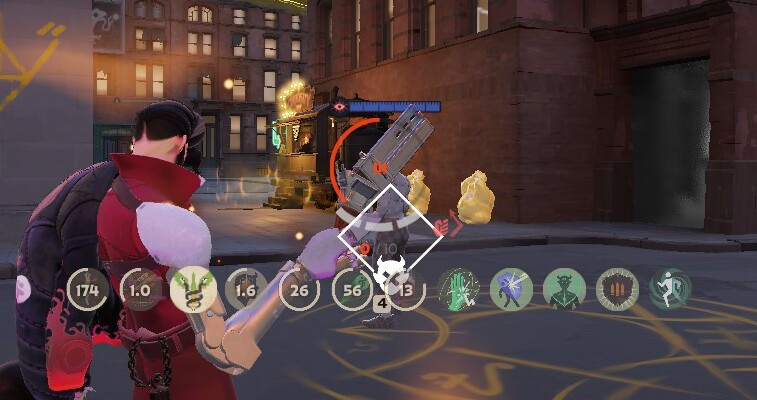
Adds an Extended FOV Scale slider to Deadlock's Camera settings. It adjusts r_aspectratio between 1.78 and 3.00 without replacing the native Camera FOV slider.
IMPORTANT DISCLAIMER: By default, this setting is not persistent. Deadlock resets r_aspectratio when the game restarts.
How to use it
Go to camera settings > Extended FOV Scale to change the Aspect Ratio
Optional: Make the value persistent
If you want Deadlock to start with your preferred aspect ratio every time, add r_aspectratio to the ConVars section of:
game/citadel/gameinfo.gi
For example:
ConVars
{
"r_aspectratio" "2.4"
}
If a ConVars section already exists, only add this line inside it:
"r_aspectratio" "2.4"
Replace 2.4 with your preferred value.
Warning: Back up gameinfo.gi before editing it. Deadlock updates may overwrite the file, and incorrect formatting may prevent the game from loading properly.
The slider can still adjust the value while the game is running. The value in gameinfo.gi only determines the aspect ratio applied when the game starts.
Approximate values
• 1.78 — Standard 16:9 / approximately 90° with Camera FOV set to 90
• 2.00 — Approximately 96.7°
• 2.40 — Approximately 106.9°
• 3.00 — Approximately 118.7°
This is not a true FOV setting. It changes the camera projection aspect ratio. Higher values may cause stretched edges, visual distortion, UI issues, or other unexpected behavior.
Installation
Place pak87_dir.vpk in:
Deadlock/game/citadel/addons/
Because this mod overrides Deadlock's settings layout, future game updates may temporarily break it or require an updated version.